

Wix vs. WordPress
May 6, 2026

Who exactly is this WordPress, and why are we discussing the reasons for creating a WordPress blog? Quite simply – WordPress remains the most popular tool among bloggers and journalists. For starters, it simplifies the process for every aspiring blogger, like yourself, to kickstart their first blog, while also offering a wide array of designs and functionalities for endless customization according to your preferences. And we’ve barely scratched the surface of the advantages in this explanation.
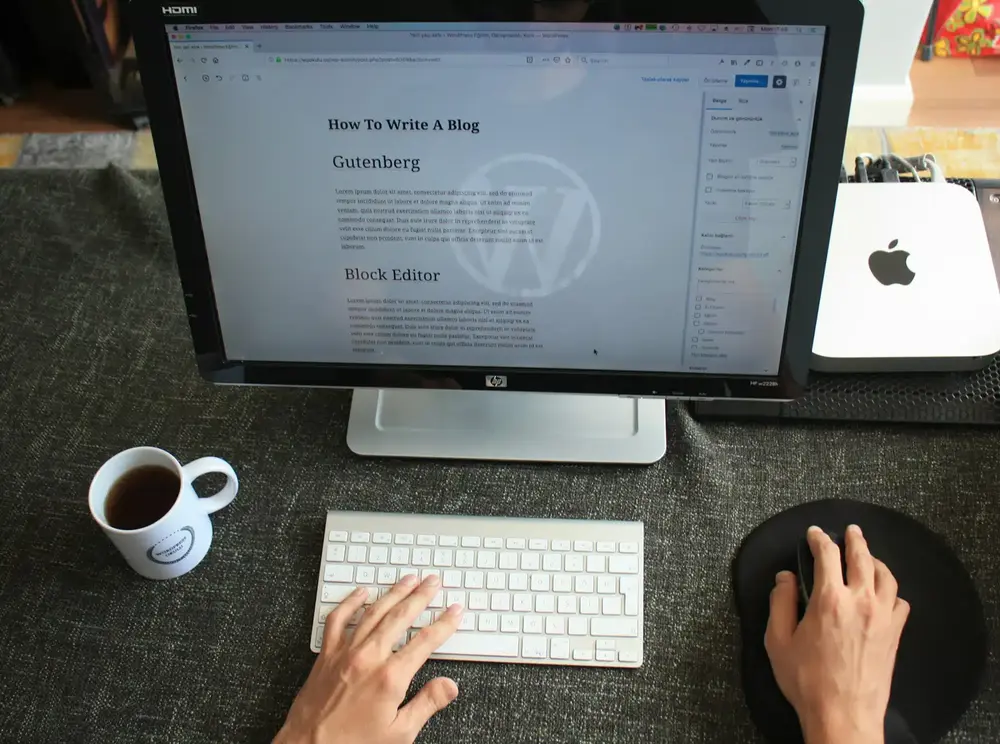
If you’re thinking of Karl-Theodor zu Gutenberg, we’d like to stop you right there! He’s definitely not part of the WordPress world. The Gutenberg editor is a function of WordPress that is responsible for the design of your blog article. The Gutenberg editor has been the standard WordPress editor since 2018 and is a controversial alternative to the classic editor, which you can also use. Controversial because it has always divided opinion. However, the more you get to grips with the editor and familiarize yourself with its functions, the quicker you will realize that it can do a lot for the presentation of your blog! Incidentally, it is named after Johannes Gutenberg, a German inventor from the 15th century who was responsible for the development of movable metal type and the construction of the first printing press with movable type. The forefather of printing, so to speak – WordPress couldn’t have given the feature a more fitting name!
You should look at the Gutenberg editor as a page builder. The many functions allow you to design your blog article with different layouts, styles and integrations to be as appealing as possible for your readers without having to program anything yourself. This allows you to compile your blog page from different blocks. This is done via the + sign that appears in “view”. You can select a paragraph, headings, a table, images, lists, audio and codes from the templates and add them to your blog article. You can also drag layout elements such as spacers, separators and buttons from the templates. Once you have selected the right one, you can of course change the styling in the settings and customize the text and background color. Once your block has been customized, you can also define and save it as a “reusable block” with exactly these settings. This saves you a lot of time if you want to insert this block as standard in every blog article, for example. If you would like to configure your layout in the style of the poets and thinkers, the Gutenberg editor also offers various formatting options such as Verse and the Pullquote, which allows you to place your favorite quote in a prominent position.
If you have planned to embed suitable YouTube videos for your topic, you can do this using the “Embeds” setting. All you need to do is add the block and enter the corresponding URL.
But now comes the big BUT, aka GDPR. Not yet familiar with the GDPR? As a blog operator, you need to put getting to grips with it in a prominent position on your list of priorities as quickly as possible. You should be able to explain it if someone calls you at 3 a.m. asking about precisely this General Data Protection Regulation, as it is known in bureaucratic terms. GDPR concerns the storage of personal data and data processing. But we will come back to this in more detail below.
Yes, we are WordPress fans. But it doesn’t matter, we want to be transparent and honest with you when it comes to creating your “blog with WordPress”. Basically this means we have to talk. No perfect technology has ever fallen out of the sky (especially not a free one). Everyone who works with websites knows this. WordPress is unfortunately no exception.
Take the layouts, for example. There’s so much you can customize and tinker with your themes. But this can also get in your way, as it can be difficult to navigate the Customizer (the area in which you make all the design settings). Some designs are so unique that their settings are not easily accessible.
So here it would be better to start with a little more prior knowledge of WordPress. Although it is optimally designed for beginners, you can already see that a little know-how in the areas of web development and online marketing can be an advantage when it comes to understanding WordPress better. You’ll get to this point, of course, even if you’re new to the whole blog topic – it just takes a little more time.
One thing you also absolutely need to know is that WordPress is a master at driving updates. Many updates. Sometimes even too many updates. Data, plugins or designs need to be updated at least once a month so that they run smoothly and securely. You need to keep an eye on this and regularly check the status of your back end, because unfortunately WordPress does not do this for you.
As with all websites, security also falls under the umbrella of updates. WordPress has always been popular with hackers due to its easy accessibility, making the sites vulnerable to attacks. This can happen rapidly when malware is placed through the security gaps. For this reason alone, you need to carry out regular updates and ensure that you are not using any outdated plugins. Because these also fall under your area of responsibility. When selecting the plugins, you not only have to make sure that they fit into the overall concept and avoid clashes (one plugin could interfere with the other plugin in an emergency and you would have installed it for nothing), but you also have to pamper your plugins a little and update them continuously. Therefore, if you notice that a few functions of a plugin are restricted or that it no longer works at all, you should first check the current status, as this could usually be the cause.
As you can see, WordPress also hides a certain complexity. This should not deter you though, it should encourage you! Yes, there are many things you need to know before you start blogging. But the sooner you get to grips with the subject matter, the more you will learn about what WordPress makes possible and your learning curve will only go one way: all the way to the top!
As you have read, not the most exciting things for readers (except the information about you!) happen on static pages. But for the structure and validation of your work, it is absolutely essential.
Often overlooked: legal notice and privacy policy
There are exactly two statistical pages that must be present on your blog or website: the legal notice and the privacy policy. If visitors aren’t able to find these, you could be faced with some costly consequences.
There are a few points that your legal notice must contain and that will help you. First and foremost, you must enter your name and address, as well as a telephone number and email address as options for contacting us. If you run the blog as a company, you must also state your company form, your registration number from the commercial register and your VAT identification number.
You have to be very precise with the privacy policy. Do you remember? When we call you at 3 a.m., your knowledge has to be completely on point! As the privacy policy is a more complex matter, it is perfectly legitimate to get help. The website e-Recht24 offers a Data protection generator for this purpose. This generator was designed by specialist lawyers and you can use it to create your privacy policy free of charge. You then only need to copy and paste it onto your static page.
Privacy, especially when surfing the internet, is more important to users today than ever before. Therefore, we recommend that you ensure proper GDPR compliance and embedding of third-party providers to implement effective cookie notice protection. These are the little windows that have been popping up on every website for some time now, asking you to accept or reject cookies. Cookies are small text files that store information about website users, often used for analysis and marketing purposes. In compliance with GDPR regulations and privacy standards, it’s necessary to inform visitors to your site about the personal data you collect and provide them with the option to consent to or decline its use.
User If you use the embed plugin and implement YouTube links, you involve third parties who store personal data – a process that you have no control over on YouTube, for example. You must therefore mention this in the cookies. A tool that supports you in this and which we highly recommend is Cookie First. The application screens your website and configures your cookie display in accordance with GDPR regulations!
We have now learned that WordPress likes to generate some features automatically. Another item on this list is the blog page, where the latest blog posts are listed. This overview page allows visitors to browse through your blog articles in an archive. The posts are then sorted chronologically backwards directly on the start page.
This means that you are not given the chance to design an individual homepage – a measure that is recommended in many blogging tips. You should therefore create a separate start page and blog page.
To do this, you need to create two new pages under “Pages” and name them “Homepage” and “Blog “. Then go to “Reading” in the sidebar under “Settings”. There you can set which page should be displayed as the homepage and which as the blog page. To do this, select the “A static page” option at the top and then define “Homepage” as the homepage and “Blog Page” with “Blog” for your blog articles.

You’ve probably read this sentence before. And why? Because it’s true. The content of your blog is king – if you don’t make it appealing, readers will turn away. An easy thing to happen, because the World Wide Web is full of content and bloggers. But we don’t even want to think about this horror scenario yet. That’s why we’re giving you a few guidelines to help you design your kingly (or queenly) content.
First of all, you need to know: for the search engines, content is no longer just king, SEO is too. A dual monarchy, so to speak. Because, as we have already explained, you need to write your blogs in such a way that readers can find you using search terms. And the magic formula is: qualitative content, peppered with keywords and search terms = good ranking in the search engines. Putting this in brackets and adding visitors who return to your blog again and again due to the added value of your blog articles = very good ranking in the search engines.
So point 1 would be on the creation of your content: keyword research. You can use the free Google Keyword Planner, for example. Find out which keywords rank optimally for your topic and incorporate them into your texts. Repeat this with all your ideas and your writing base is ready!
When writing, you should also observe a few formatting rules of thumb: work with short sentences, paragraphs and as many subheadings as possible. This will loosen up your text and structure it optimally. Above all, this structure helps your readers with the flow of reading, as it draws their attention to individual paragraphs and encourages them to read! And never forget: Google also reads along and the better the search engine can read what the topic is, the better it can categorize your blog. It is also best to design a table of contents that not only guides Google, but also your readers through your article. Don’t use complicated language so that everyone can understand your texts. Paying attention to perfect spelling is also a must, as this generally goes down well with your readers and is also rated better by Google!
It’s not only text that’s important though! Pictures give your article that certain something and make it more interesting. Use images to add an eye-catcher to your blog posts and offer your readers variety. You can also take even more care of your readers by including links to further content that may be helpful for them.
Maybe this item is not yet on your to-do list, but it deserves a high ranking on it: your newsletter! Because like any other blogger, you definitely need a newsletter or email list of your readers in order to provide them with regular information.
One wise saying goes: your email list is worth its weight in gold. And that is true. If you are pursuing entrepreneurial goals with your blog and presenting products or similar, the newsletter is still the best way to reach your readers in a targeted manner. This also makes you more independent and you can compensate for any drop in traffic with your own newsletter.
Are you frowning right now? Don’t! Instead think about the many newsletters you have signed up for and that flutter in every day. Why do they do that? Right, because everyone knows that newsletters still work!
So, how are you feeling now? Are you ready to create your WordPress blog after this long guide? We’re sure you are. Why not get started today. Because yes, there are many bloggers and authors out there. But don’t let that stop you from achieving your goal – your content is worth getting out into the world too! Maybe it’s your blog that some people out there are still waiting for. So let’s get started – WordPress is a strong partner and gives you the platform you need. Make the most of it and create an online presence that suits you. And always remember – for every question, you have a community of millions at your side that won’t leave you out in the cold with questions, ideas and your topic. If you wish, we at codafish will also be happy to support you – contact us today and we will arrange your free consultation!





With us, you have one partner for all your digital needs. From strategy and consulting to development, marketing and ongoing support, we help you build, connect and optimise your digital systems. We work with you from the initial idea through implementation and beyond, supporting your digital transformation every step of the way.


codafish ><> your digital agency
+1 888 9263234
hello@codafish.netFeel free to contact us for a free initial consultation. We’d be happy to hear from you!
The data provided will be transmitted in encrypted form and treated in accordance with the data protection law. You can find our data protection information here.






Fast, secure and easy to manage – we build WordPress sites that grow with your business.
From setup to long-term support – one partner.
